


webOS Hub Smart Monitor lineups
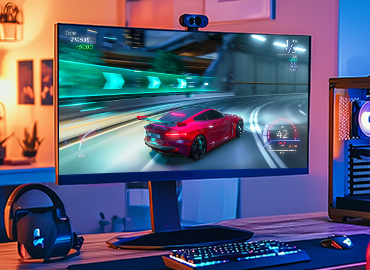
Remote PCExperience the Perfect Home Office Environment Right at Home
With the Remote PC feature, you can connect directly to your office computer without a separate desktop or laptop, giving you access to files and enabling you to join online meetings seamlessly.
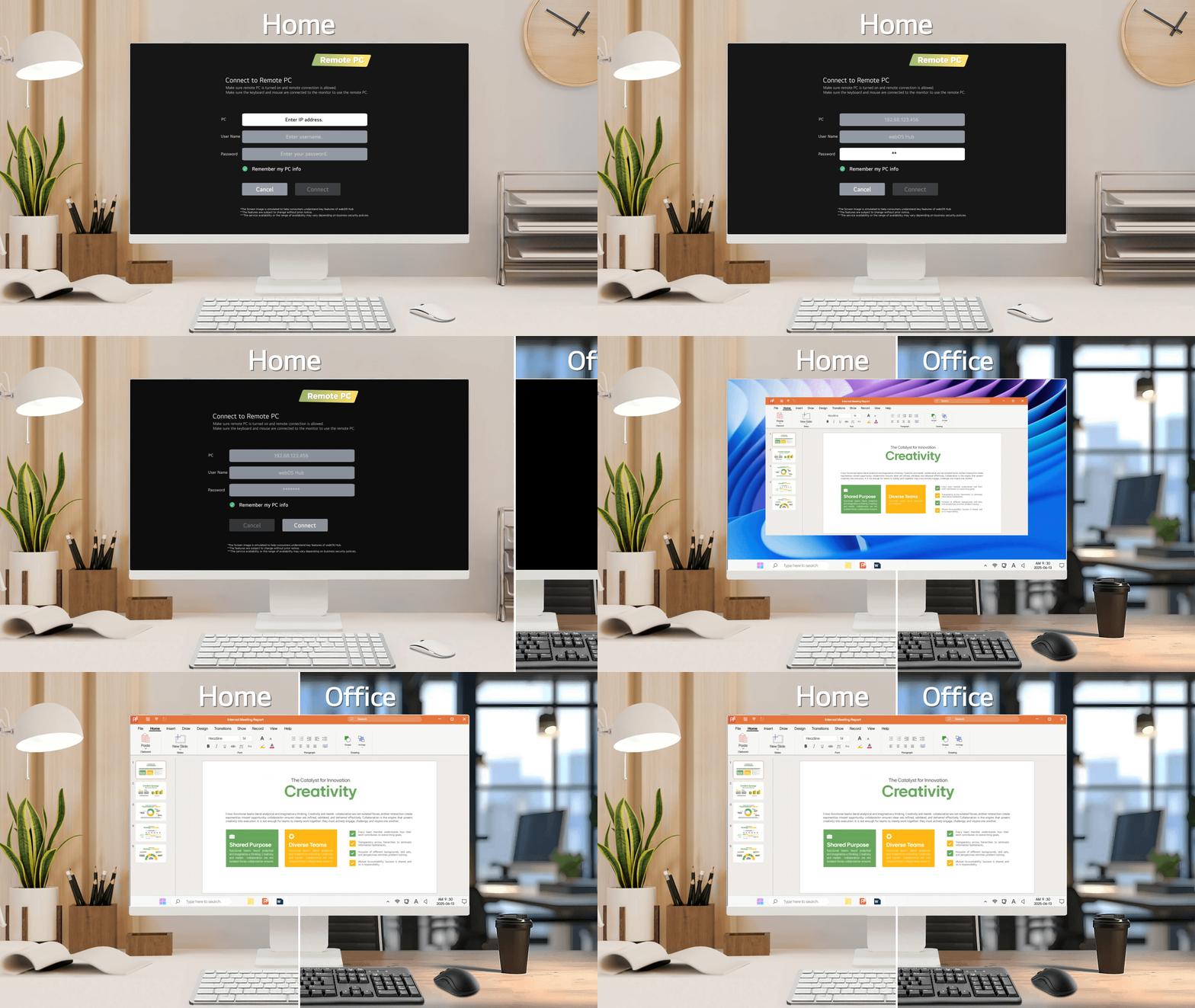
Note
- The above image is simulated to help consumers understand key features of webOS Hub.
- Some functions may not be accessible if your location and language settings differ from the required settings.
MultiviewEnjoy Twice the Fun with the Multi View Feature
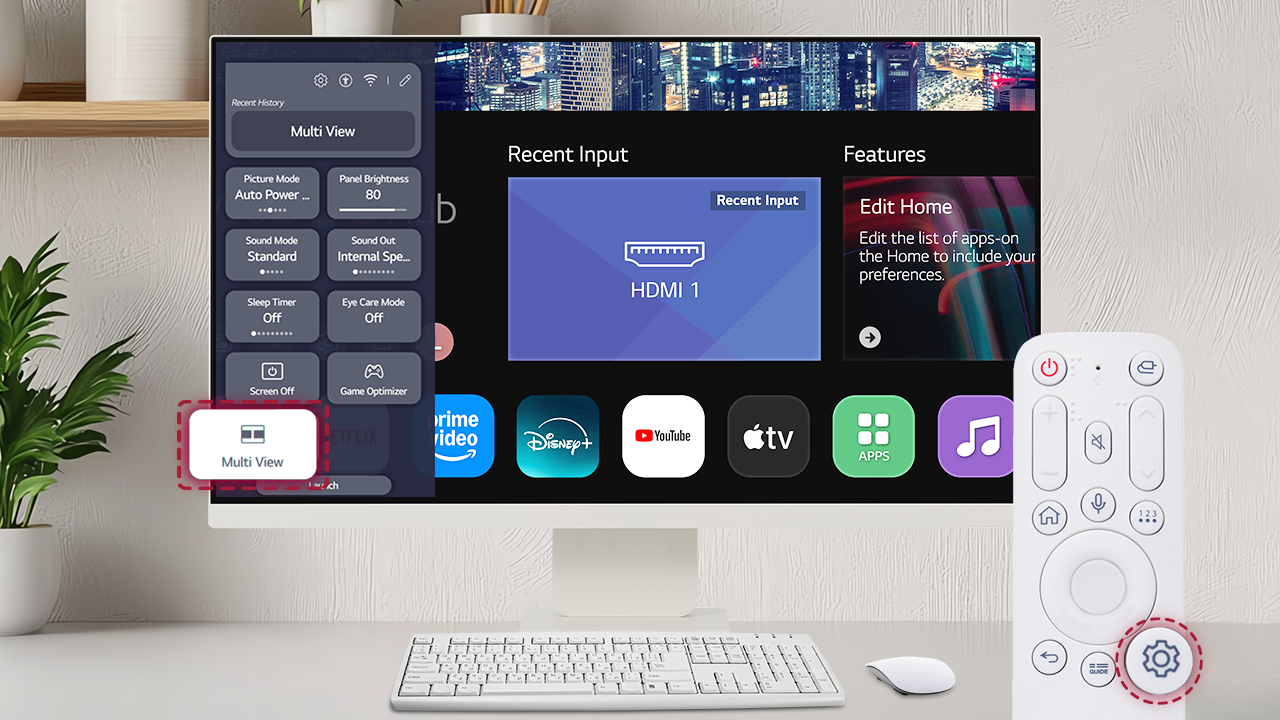
Don’t settle for a single screen. The Multi View feature allows two split screens, making multitasking easier than ever.
Note
- The above image is simulated to help consumers understand key features of webOS Hub.
- The features are subject to change without prior notice.
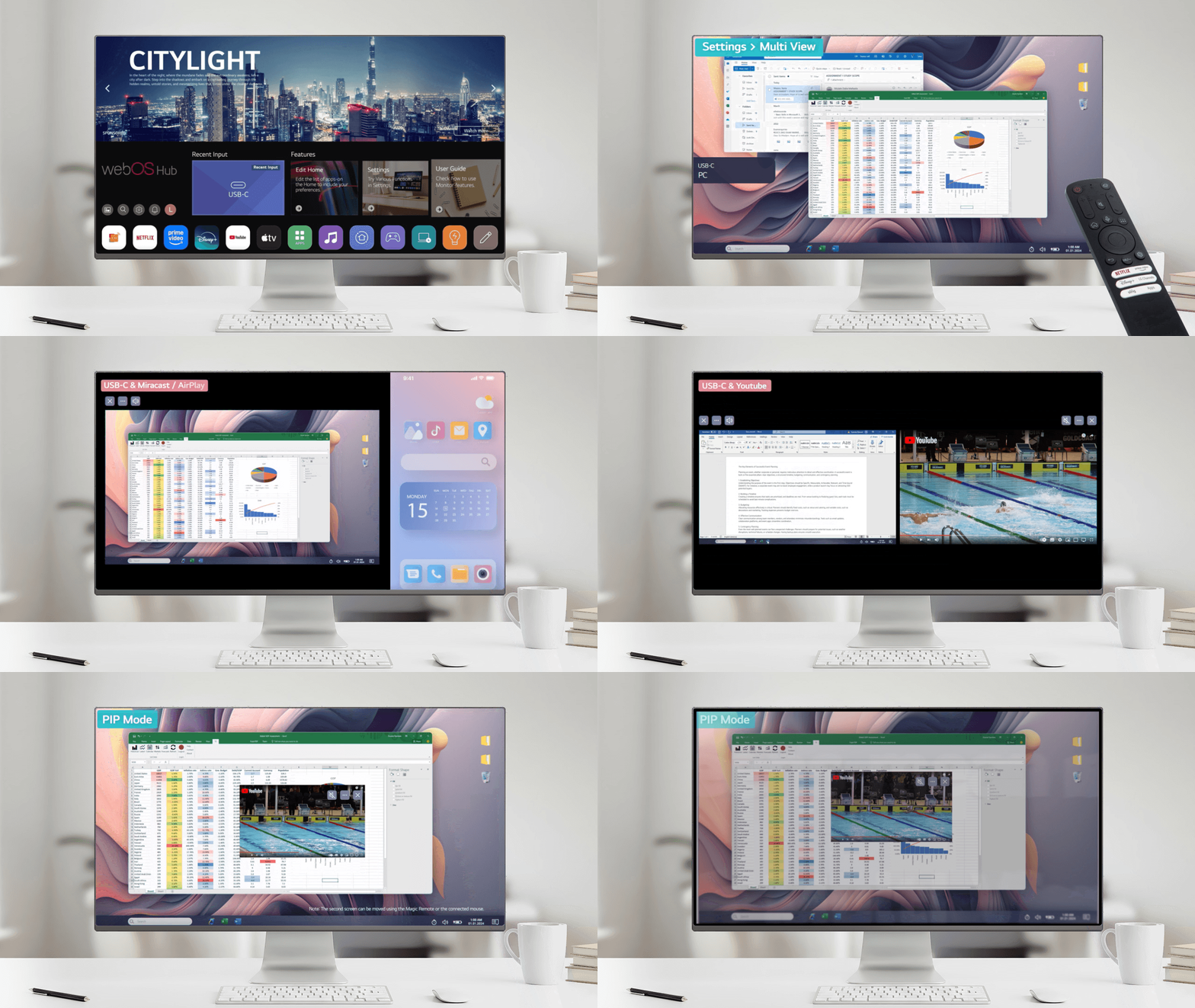
Experience versatile multitasking in the mode you prefer. Choose Side-by-Side View or Picture-in-Picture Mode to enjoy two pieces of content at the same time.
Note
- The above image is simulated to help consumers understand key features of webOS Hub.
- The features are subject to change without prior notice.
Powerful GamingAAA Gaming Begins Here
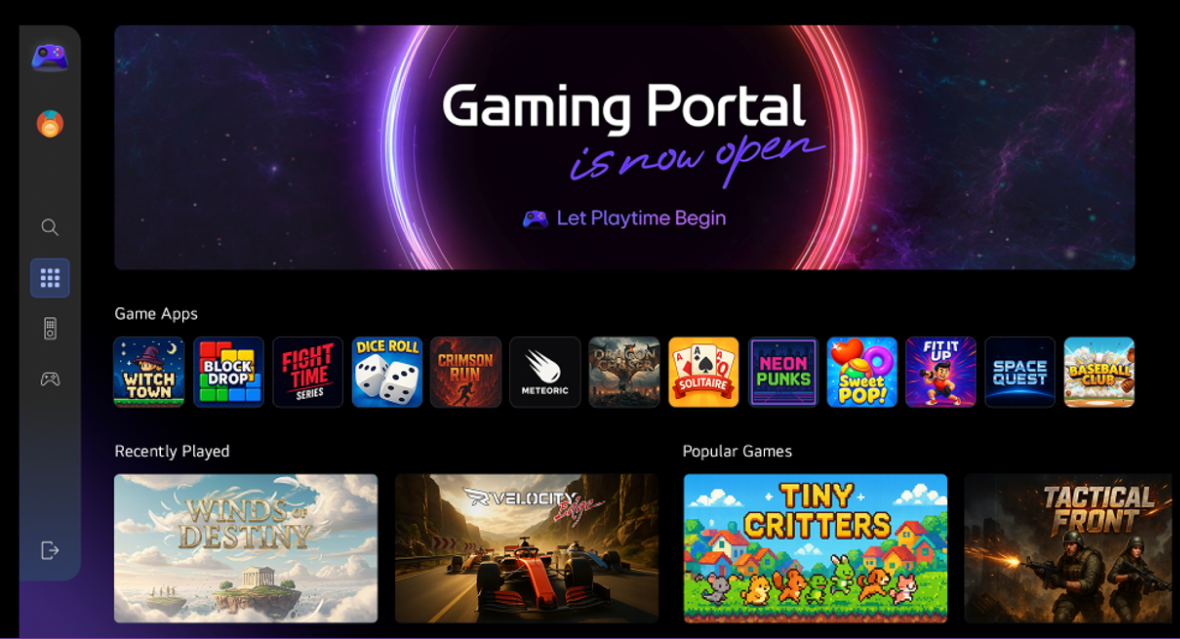
Designed as an all-in-one gaming platform, the LG Gaming Portal allows you to easily browse and enjoy AAA, casual, family, and social games on your smart monitor.
Note
- The above image is simulated to help consumers understand key features of webOS Hub.
- The availability of and access to Contents and Services in Devices such as smart TV, smart Monitor, etc. are subject to change without prior notice.
- Content Service partners may vary depending on country.
- XBOX is expected to be available within the first quarter of 2026.
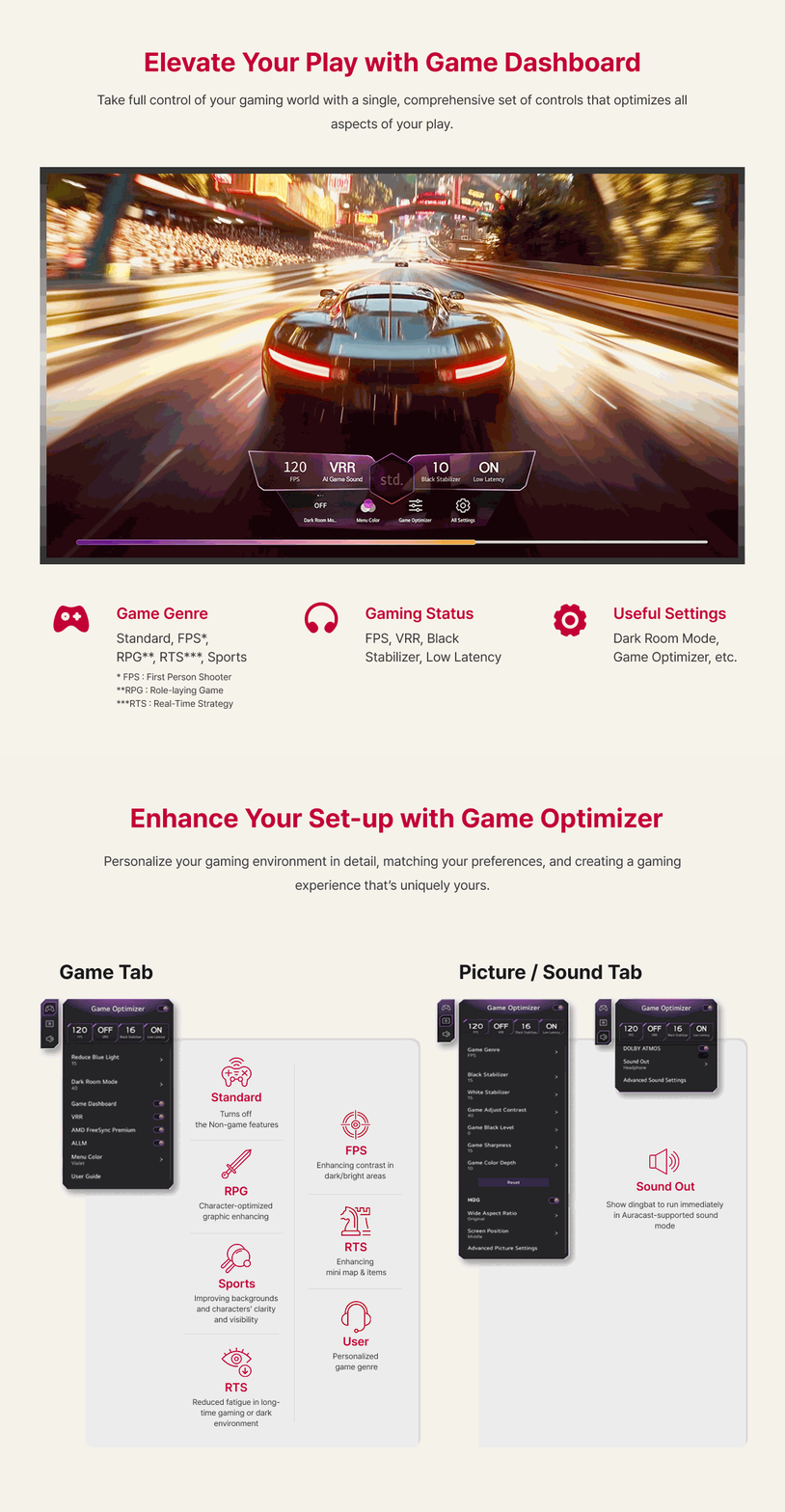
Check all your optimal gameplay settings in one place. Use the Game Dashboard to quickly change your current game genre settings.
Note
- The above image is simulated to help consumers understand key features of webOS Hub.
- The availability of and access to Contents and Services in Devices such as smart TV, smart Monitor, etc. are subject to change without prior notice.
- Content Service partners may vary depending on country.
- XBOX is not scheduled to start service yet, and will be updated later.
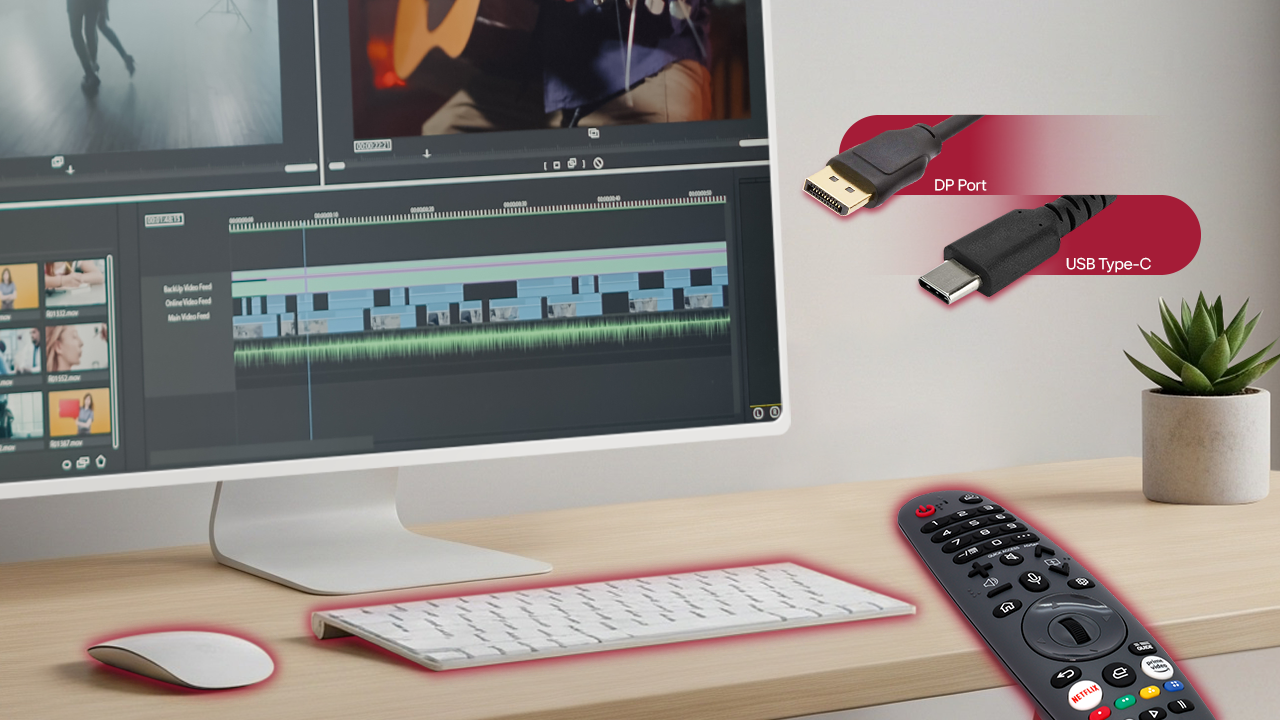
Connectivity & Magic RemoteControl and Connectivity Devices for User Convenience
Experience high-performance workflows—from video editing to design—through DP and USB-C ports. Enhance convenience by using wireless input devices together with the intuitive Magic Remote.
Note
- The above image is simulated to help consumers understand key features of webOS Hub.
- The features are subject to change without prior notice.
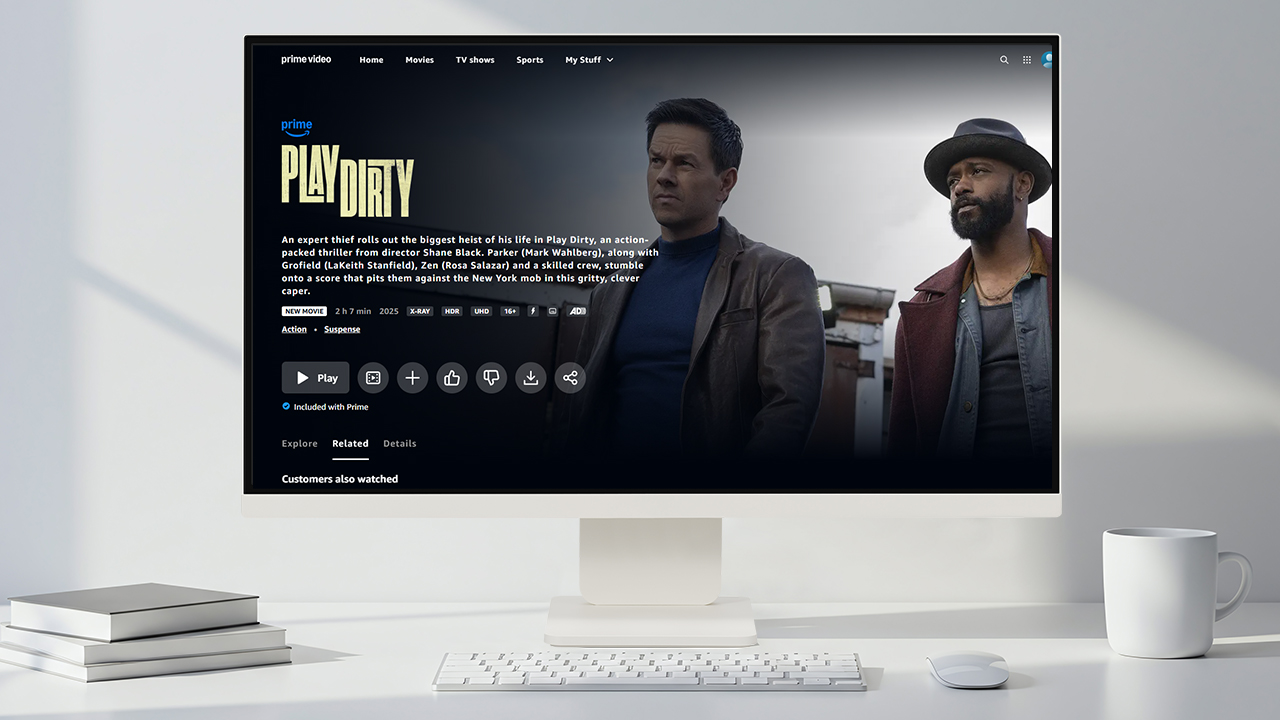
Various OTT ChannelsEndless Content On Demand
Enjoy endless entertainment right from your smart monitor. Access Netflix, Prime Video, Disney+, YouTube, and more—movies, shows, music, and sports, all in one place.
Note
- The above image is simulated to help consumers understand key features of webOS Hub.
- Content Service partners vary by region and country and are subject to change without prior notice.
- Subscription required to access some Content Providers such as Netflix, Disney+, Apple TV, Apple Music, Amazon Prime Video, etc.
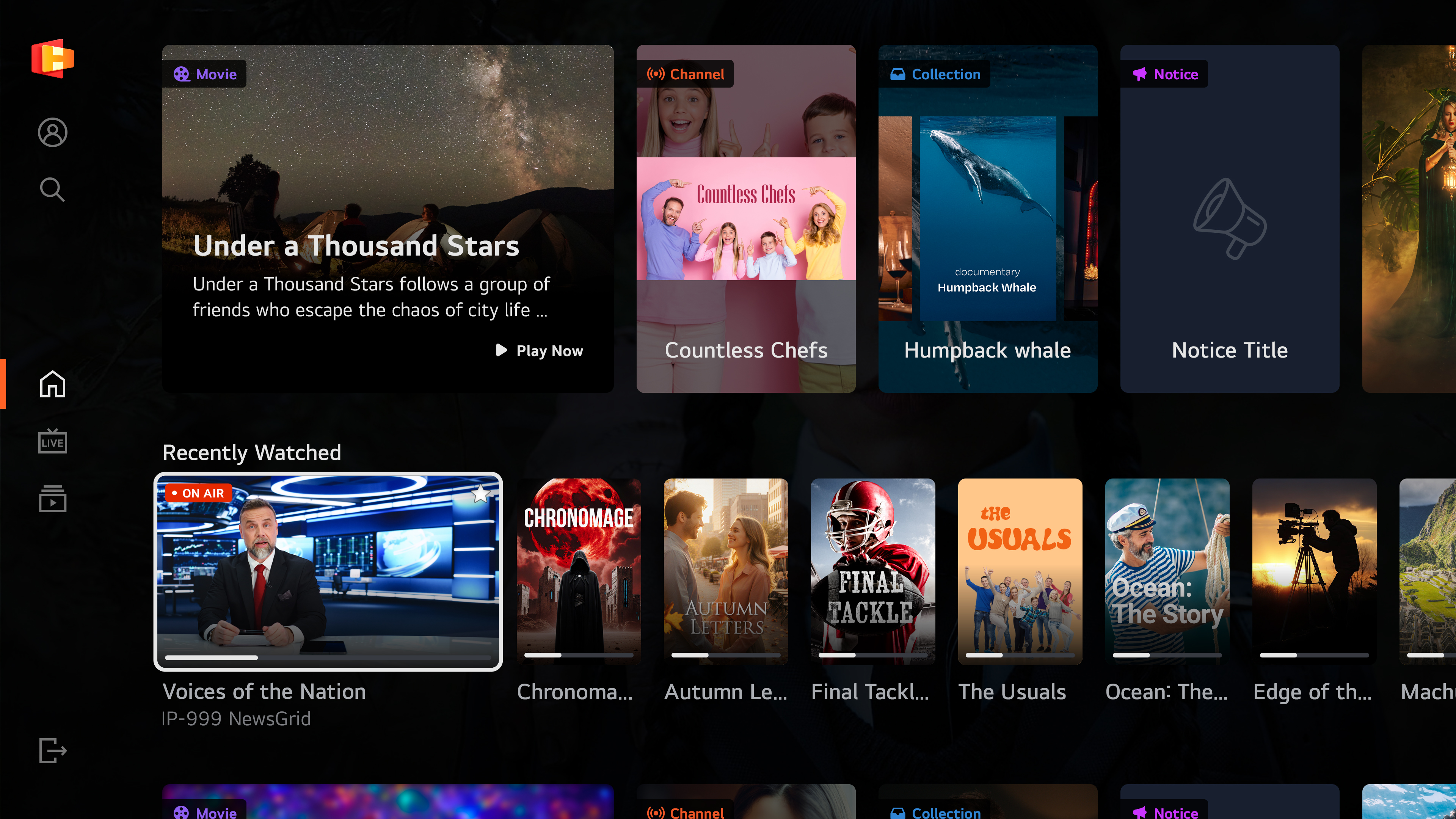
LG ChannelsNo Paywalls, Just Enjoy!
Connect to the internet and stream free content instantly through LG Channels. Enjoy movies, music, and live sports channels right on your smart monitor.
Note
- The above image is simulated to help consumers understand key features of webOS Hub.
- Content Service partners vary by region and country and are subject to change without prior notice.
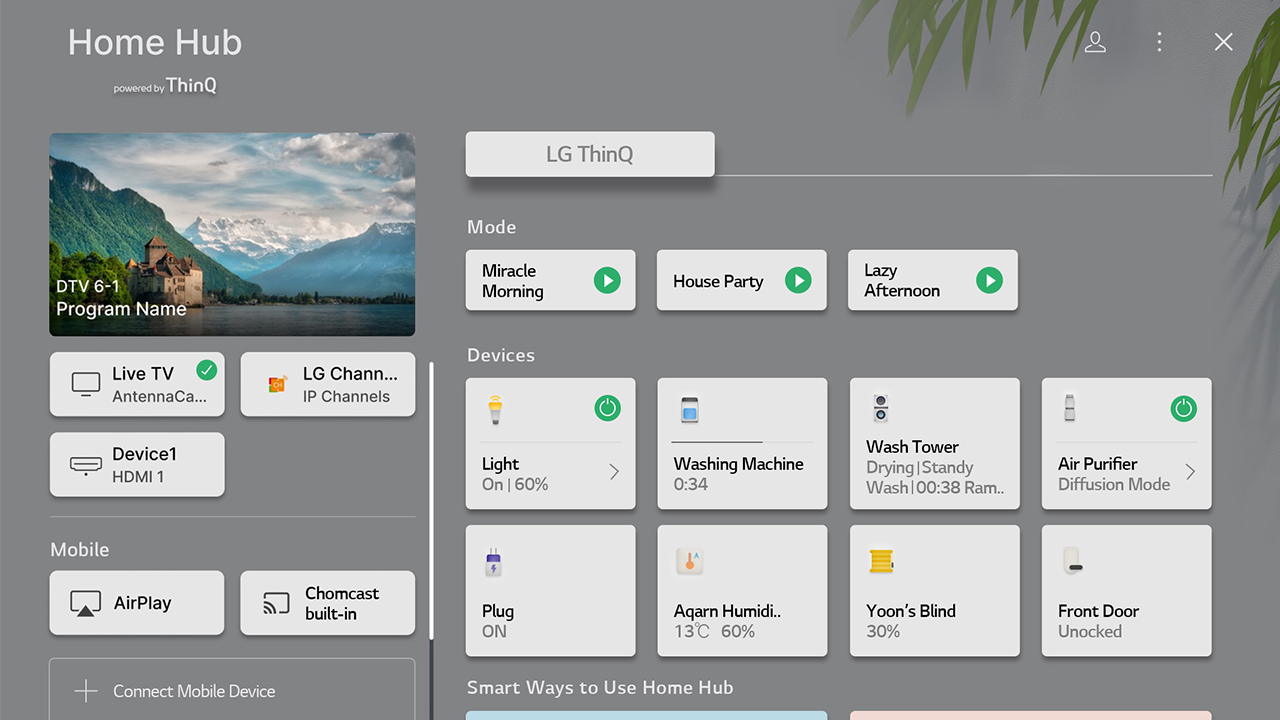
Smart FeatureSmarter Living with Smart Monitor
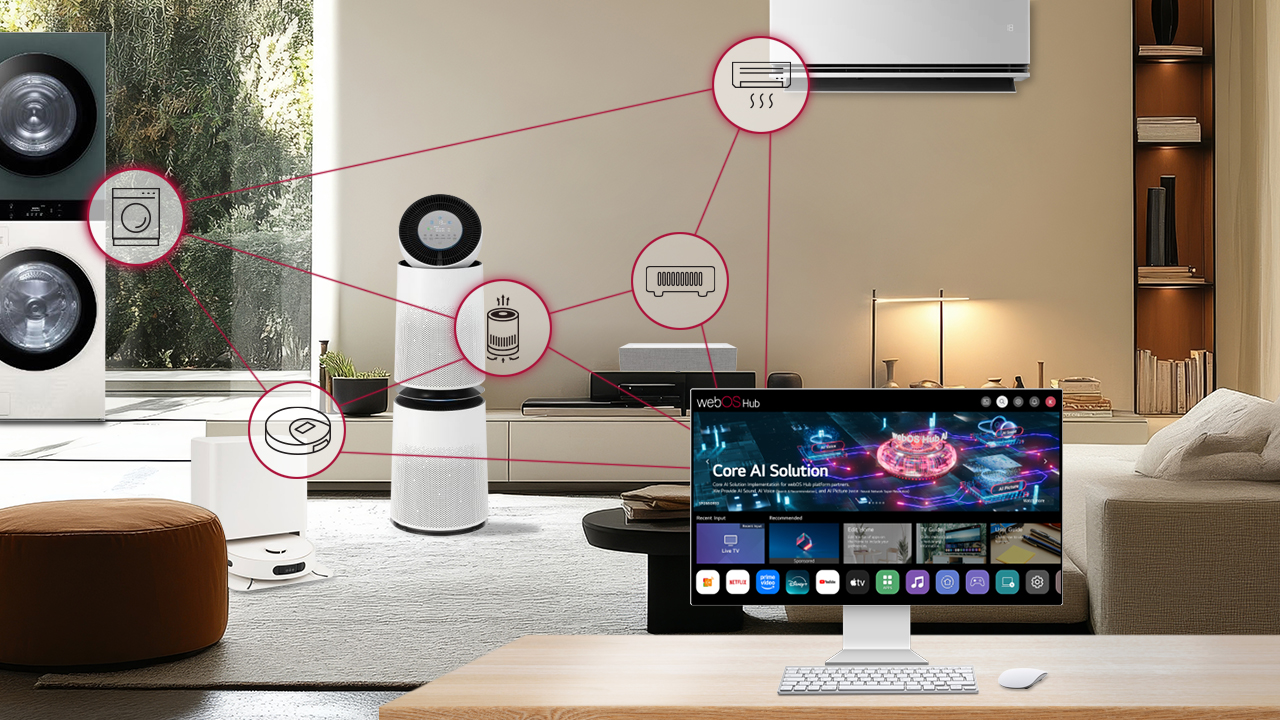
Control and organize your smart devices right from your smart monitor. Home Hub makes access easier by categorizing devices, with built-in support for AirPlay and Google Cast.
Note
- The above image is simulated to help consumers understand key features of webOS Hub.
- The features are subject to change without prior notice.
- The current image is a rendered version and may be differ from the actual screen.
- Only LG home appliances that are compatible with ThinQ are currently available.
- Certain IoT accessories such as smart lighting, smart plugs, smart locks, smart speakers, and so on may not be available.
- Some functions may not be accessible depending on your location or model type.
- Support for Google Cast is planned for Q1 2026.
Matter IoT supports integrated and stable connectivity for smart devices. Experience seamless connectivity and smooth interoperability with various IoT devices through your smart monitor.
Note
- The above image is simulated to help consumers understand key features of webOS Hub.
- The features are subject to change without prior notice.
- The current image is a rendered version and may be differ from the actual screen.
- Only LG home appliances that are compatible with ThinQ are currently available.
- Certain IoT accessories such as smart lighting, smart plugs, smart locks, smart speakers, and so on may not be available.
- Some functions may not be accessible depending on your location or model type.
- Support for Google Cast is planned for Q1 2026.
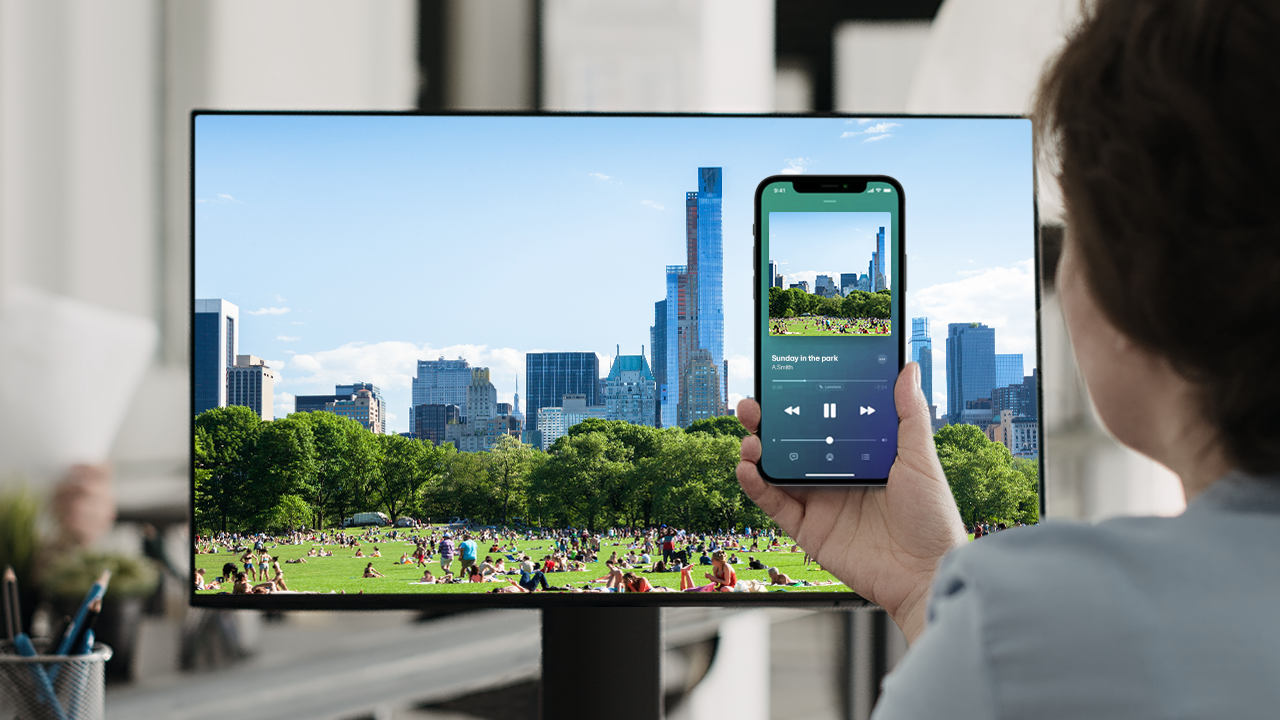
Stream your movies, music, photos, and games from mobile devices straight to your smart monitor. With built-in AirPlay and Google Cast, sharing content has never been easier.
Note
- The above image is simulated to help consumers understand key features of webOS Hub.
- The features are subject to change without prior notice.
- The current image is a rendered version and may be differ from the actual screen.
- Only LG home appliances that are compatible with ThinQ are currently available.
- Certain IoT accessories such as smart lighting, smart plugs, smart locks, smart speakers, and so on may not be available.
- Some functions may not be accessible depending on your location or model type.
- Support for Google Cast is planned for Q1 2026.